First AMD Ryzen Threadripper Pro 9995WX workstation PC goes on sale for just over $20,000 - but it's not from HP, Lenovo or Dell
- VRLA Tech workstation is first to ship with AMD Ryzen Threadripper Pro 9995WX
- System is built on ASUS WRX90E board with 128GB ECC memory and 1TB NVMe storage
- Supports up to three high-end GPUs including options like the Nvidia RTX 6000 Ada
The first workstation powered by AMD’s new Ryzen Threadripper Pro 9995WX processor has gone on sale, and it comes not from a major PC maker, but from California-based custom builder VRLA Tech.
The VRLA Tech AMD Ryzen Threadripper Pro Workstation is available with a choice of processors from the Pro 9000 WX-Series, including AMD’s top-tier 9995WX.
Built on the 4nm Zen 5 architecture, the 9995WX features 96 cores and 192 threads, with a 2.75GHz base clock and boost speeds up to 5.1GHz. It includes 384MB of L3 cache and supports 8-channel DDR5-6400 ECC RDIMM memory.
Highly customizable
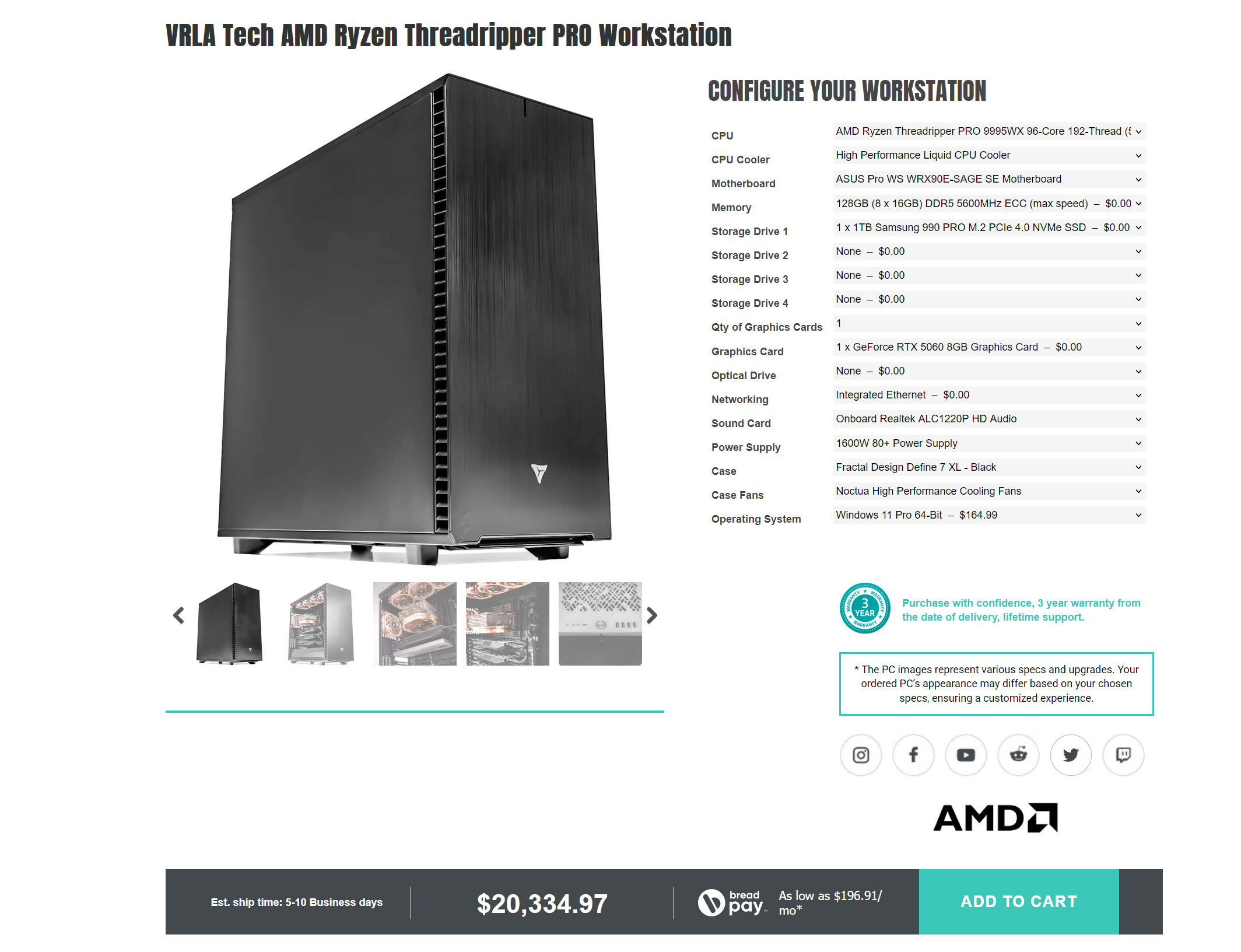
The default configuration, priced at $20,334.97, pairs the CPU with an ASUS Pro WS WRX90E-SAGE SE motherboard. This board supports up to 1TB of DDR5 memory and provides 128 PCIe 5.0 lanes for add-in cards such as graphics, storage, or networking components.
The unit comes equipped with 128GB of DDR5-5600 ECC RAM, using eight 16GB modules.
For storage, it includes a 1TB Samsung 990 PRO M.2 PCIe 4.0 NVMe SSD.
Additional drive slots provide space for future expansion. Graphics are handled by an Nvidia GeForce RTX 4060 with 8GB of memory in the standard build.
The system is powered by a 1600W 80 Plus Platinum power supply and housed in a black Fractal Design Define 7 XL case.
Cooling is managed by a high-performance liquid CPU cooler and Noctua case fans.
The workstation ships with Windows 11 Pro but you can save money by opting for Linux if you prefer, and includes all necessary drivers pre-installed.
The configuration can be customized prior to purchase. Options include up to three high-end GPUs, including workstation-class cards such as the Nvidia RTX 6000 Ada.
The system also supports a range of NVMe and SATA storage options and additional networking cards, but of course that will crank up the cost considerably. Add all the bells and whistles and price skyrockets to an eye-watering $55,113.90.
You may also like
via Hosting & Support
Comments
Post a Comment