There’s a new AI image fad spreading on the internet, one that could bring new life to those dusty shoeboxes and family albums. ChatGPT users have discovered that the AI assistant can take old photos and mimic a restored, colorized version.
I first saw it discussed on a Reddit thread, one that was initially skeptical of ChatGPT's restoration ability for good reason.
The AI was far more likely to take an old headshot and 'restore' it by making a headshot of someone who might be the cousin of the person in the original photo. Thanks to tips shared by others on Reddit and Instagram on how to make it work properly, I cobbled together a prompt that does a pretty good job of it.
The prompt I settled on is: “Please upscale and colorize this photo while keeping it faithful to the time period. Do not change the arrangement, expressions, background, or attire; only add period-accurate color and details. The new photo should overlay the original exactly."
It's not actually restoring the image, but you might think of it as a recreation by an art forager with a modernist streak. The results are in color, with better resolution, any damage repaired, and even some lost details reimaged.
Again, it's important to remember this isn't the same thing as enhancing the actual photo, but it's amusing, and certainly feels less problematic than swiping Studio Ghibli's style.
To test out the trend, I pulled some public domain photos from the Library of Congress, which is truly an amazing resource. Check out some of the results below.
Rough Rider Restoration
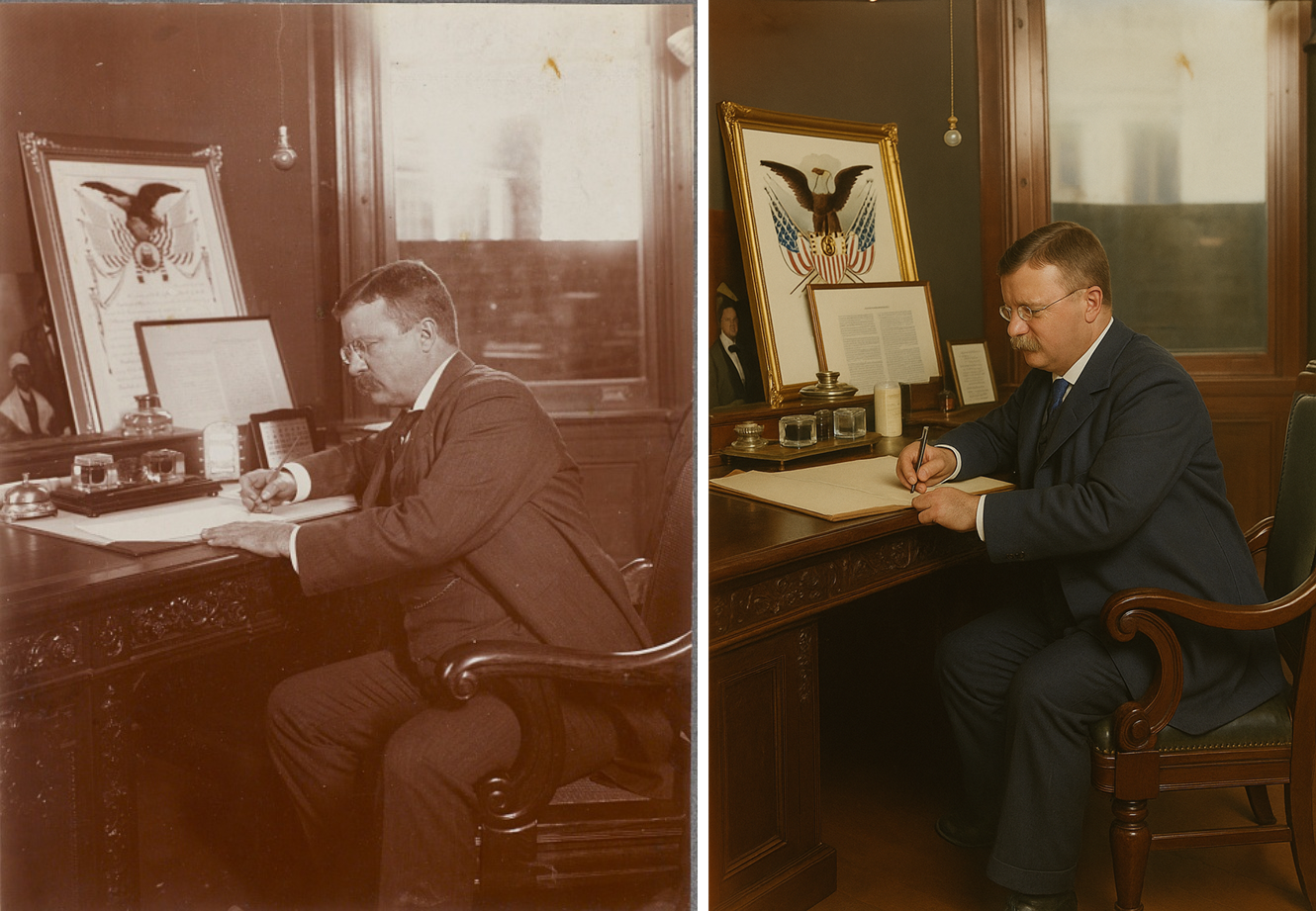
First up is President Theodore Roosevelt. The photo catches Teddy in the middle of a writing session at his desk. The desk has a large plaque and, a very of the time, liquor decanter with glasses. After ChatGPT does its work, you can see some fine details and colors.
Now, not all of those details are right. Hand positions, chair arm shape, a radio replaced with what looks like a large candle, and plenty more. It managed to capture a lot of the man himself pretty well, though.
Bike to the future
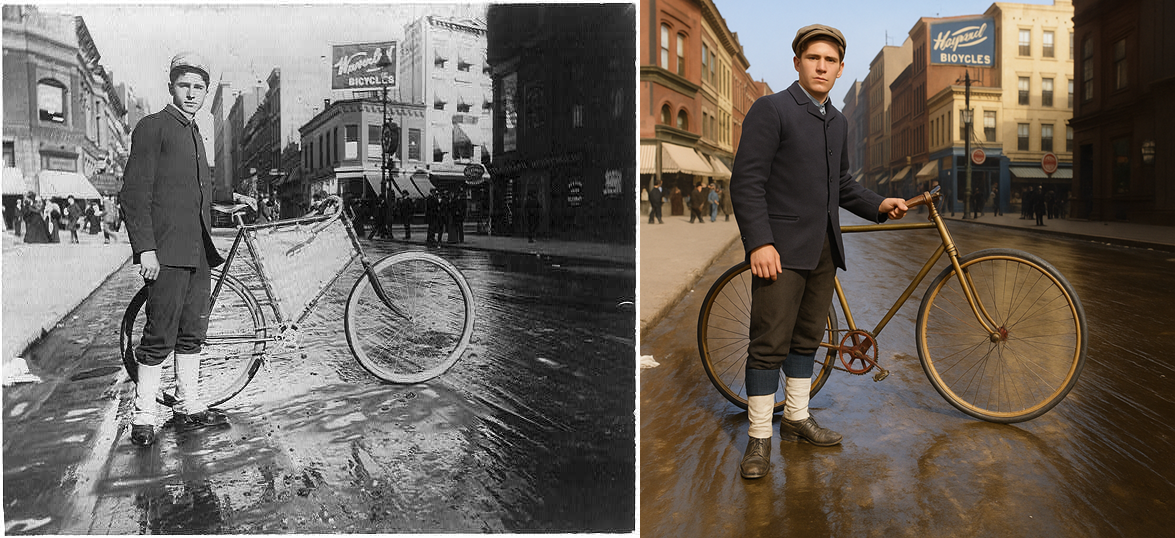
Next came the bicycle delivery boy. Again, the person looked amazingly like the original. The original photo was already lively, with puddles on a street that is clearly filthy. The colorized version decided that meant the street had a nice hardwood floor for some reason.
Even so, the sign on the building behind the bicyclist, along with the crowd in the background, all really pop. It even managed to get the reflection of the bicycle on the ground.
Soda jerk
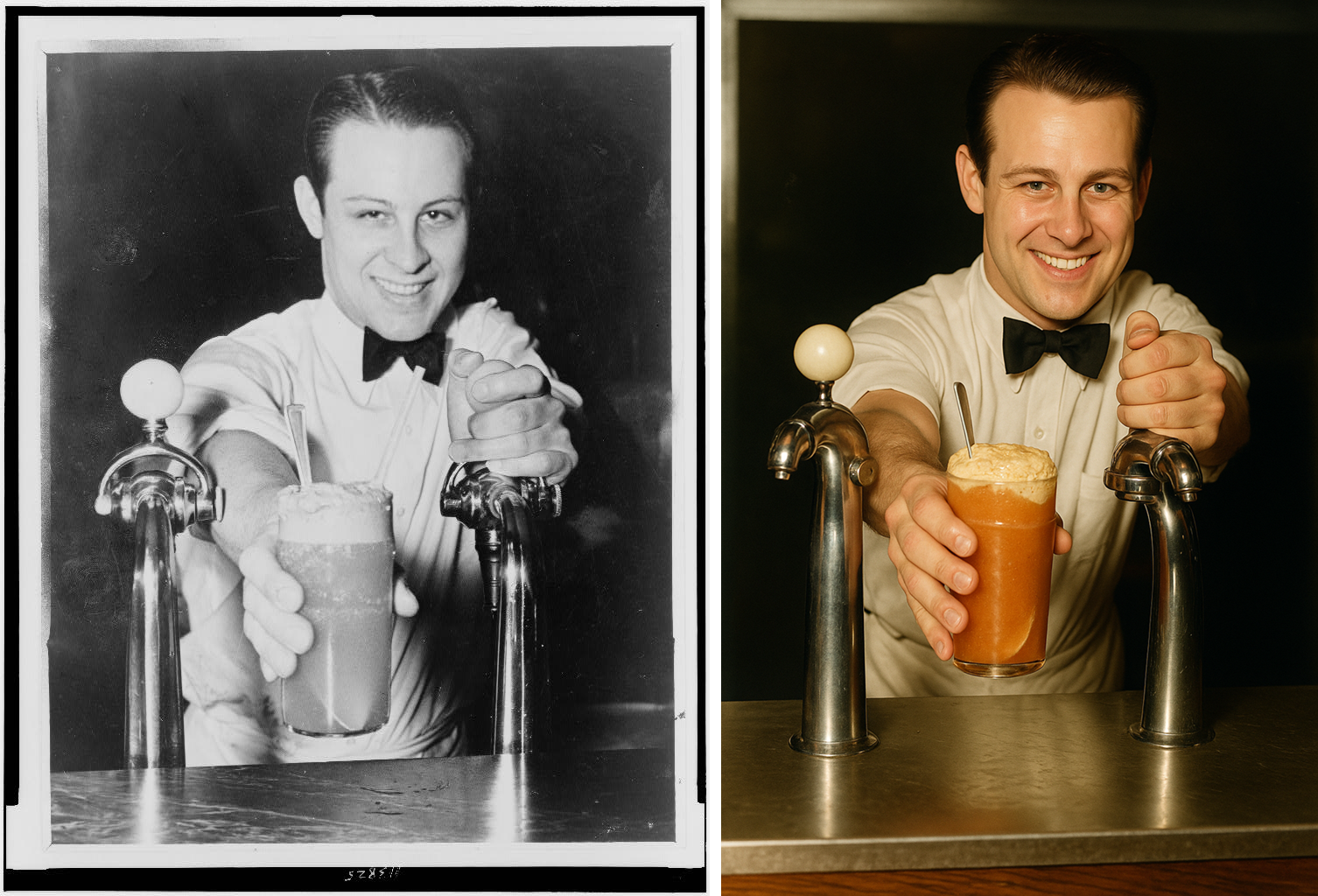
Moving ahead in time a bit is this soda jerk. A happy fellow smiling while handing over what I can only assume is an egg cream or a root beer float with the flair of a Broadway actor playing “guy who loves seltzer.”
ChatGPT delivered a restored version that nailed his face and expression, not to mention the bow tie. Sure, the hair is a little off, and I'm not sure how appetizing the modern drink looks, but it seems like he enjoys his job in the black void behind the counter.
Iterate, iterate, iterate
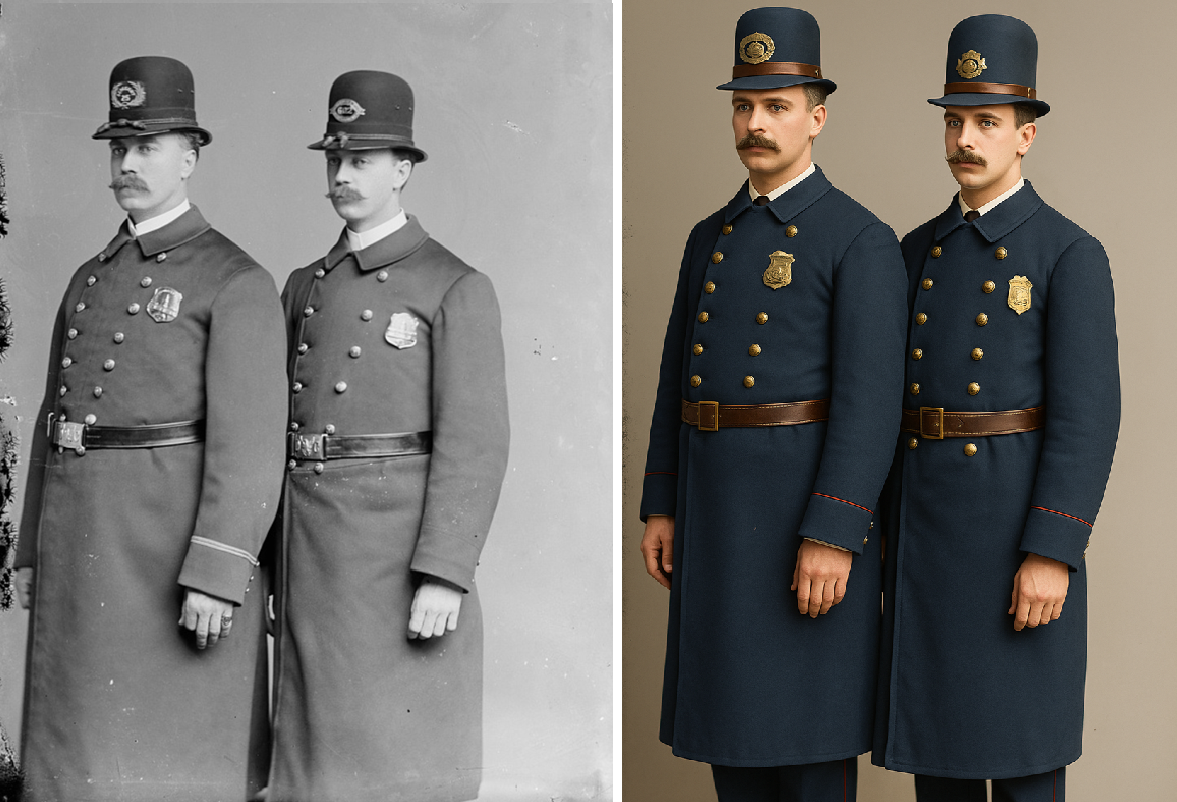
Then came the two policemen in their long coats and tall hats. I assume the serious mustaches were part of the uniform. The colorized version brought their uniforms to life with deep navy blue tones and brass buttons that practically gleam.
The officers are a little taller than their black and white counterparts, with somewhat better tailoring, but it's a photo that belongs in the same law enforcement portraits.
Mr. Mustache
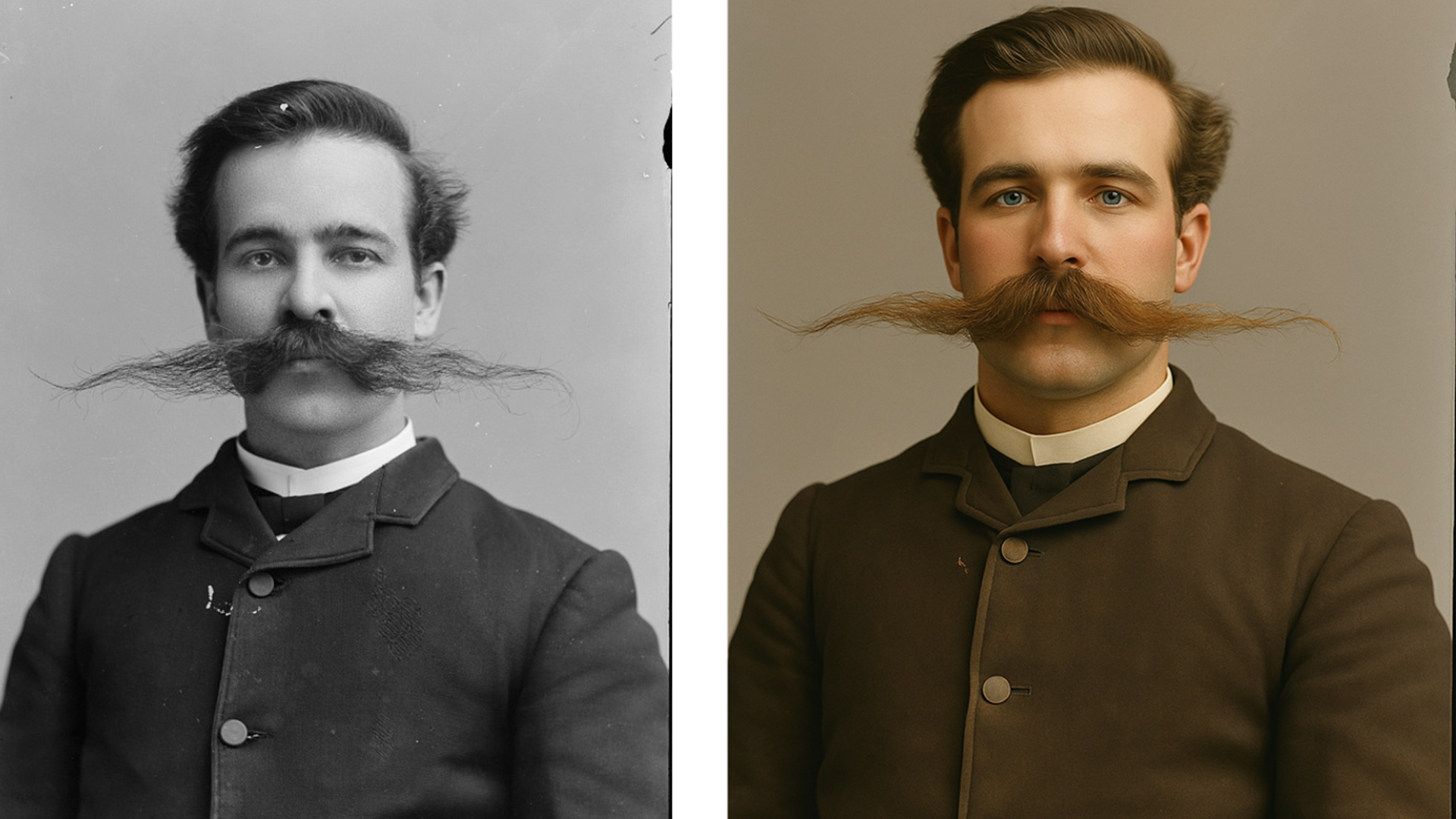
Speaking of mustaches, that's the real star of the last photo. You almost don't even notice the gentleman behind it. It's not just facial hair, it's architecture. The restored version very slightly cleaned up the stray hairs, but otherwise, this was the most impressive result.
The face, haircut, coat, and even the crease in the shirt are there. Every bristle is crisp, and wherever he's headed, I'd love to see the rest of the barbershop quartet.
You might also like
- I compared ChatGPT's new image generator to DALL-E 3, and it's an astonishing improvement, if you have the patience
- I brought doodles to life with Deep Image, and it's like having a magic paintbrush
- I refuse to jump on ChatGPT’s Studio Ghibli image generator bandwagon because it goes against everything I love about those movies
via Hosting & Support
Comments
Post a Comment