Handheld gaming PCs are here to stay: here's why I'd recommend the Asus ROG Ally over a gaming laptop any day of the week
I’ve been a PC gamer for basically my entire life. Even as a young kid on my dad’s boxy beige work computer, I spent hours playing the only game it had installed: Microsoft Golf 1998 Edition. I loved the glorious Flash era of browser games, and bought plenty of magazines purely for the demo disks.
Growing up, I had my dalliances with console gaming, but once I got my first gaming laptop as a teen, we were back in familiar territory. It wasn’t long before I built my first gaming PC, and the rest, as they say, is history.
I never thought I’d abandon my trusty gaming desktop - perhaps the fourth or fifth PC I’ve built purely for myself over the years, discounting the literal dozens I built while working at Maximum PC magazine - and yet nowadays, I find myself using it less and less for gaming. I used to spend hours seated at my desk grinding away in my live-service game du jour, yet now I mostly just sit in that chair to write articles like this one. The reason for that? I got myself an Asus ROG Ally.
The handheld revolution
PC gaming handhelds have been floating around for a while in early forms, but it wasn’t until Valve released their successful and popular Steam Deck handheld that interest really started to pick up. It wasn’t long before other manufacturers wanted to muscle in on the scene; Asus was the first major rival to Valve with its ROG Ally (and the new ROG Ally X), then more started to appear: the MSI Claw, Lenovo Legion Go, and most recently the Zotac Zone all deliver quality handheld gaming experiences beating anything in the existing console space.

I’m not ragging on consoles here; I have a Nintendo Switch, and it was thanks to that (and a second Switch for my fiancé, and two copies of Animal Crossing: New Horizons) that I made it through both lockdown and cancer treatment in one piece. I’ve owned every Game Boy, and I was one of the eight people who actually bought a PS Vita back in 2011 - a horribly misunderstood handheld, by the way.
But the ROG Ally is a different beast entirely; my huge game libraries across Steam, Epic, GOG, and more mean that I can enjoy a vast variety of games, with better graphics than anything offered by the Switch. Plus, as a fan of indie games, I get the added bonus of getting to play all the great stuff on Itch.io, the majority of which isn’t available on consoles.
What makes PC handhelds so great?
My love for the ROG Ally has grown so much that I’ve taken to actively recommending it and its ilk - forsaking my usual advice about gaming laptops and PC-building. The first reason, quite simply, is pricing. The ROG Ally can routinely be picked up for around $400 / £400 if you keep an eye on sales - and frankly, good luck finding a gaming laptop capable of offering the same performance for that price, even during sale events.
Speaking of performance: the Z1 Extreme APU chip inside the ROG Ally and some other handhelds performs great, offering strong 1080p gaming performance. Sure, you’ll likely need to tone down the graphics in some more demanding games to hit that coveted 60 frames per second, but the performance for such a compact device is truly excellent and would’ve been unprecedented just a few years ago.
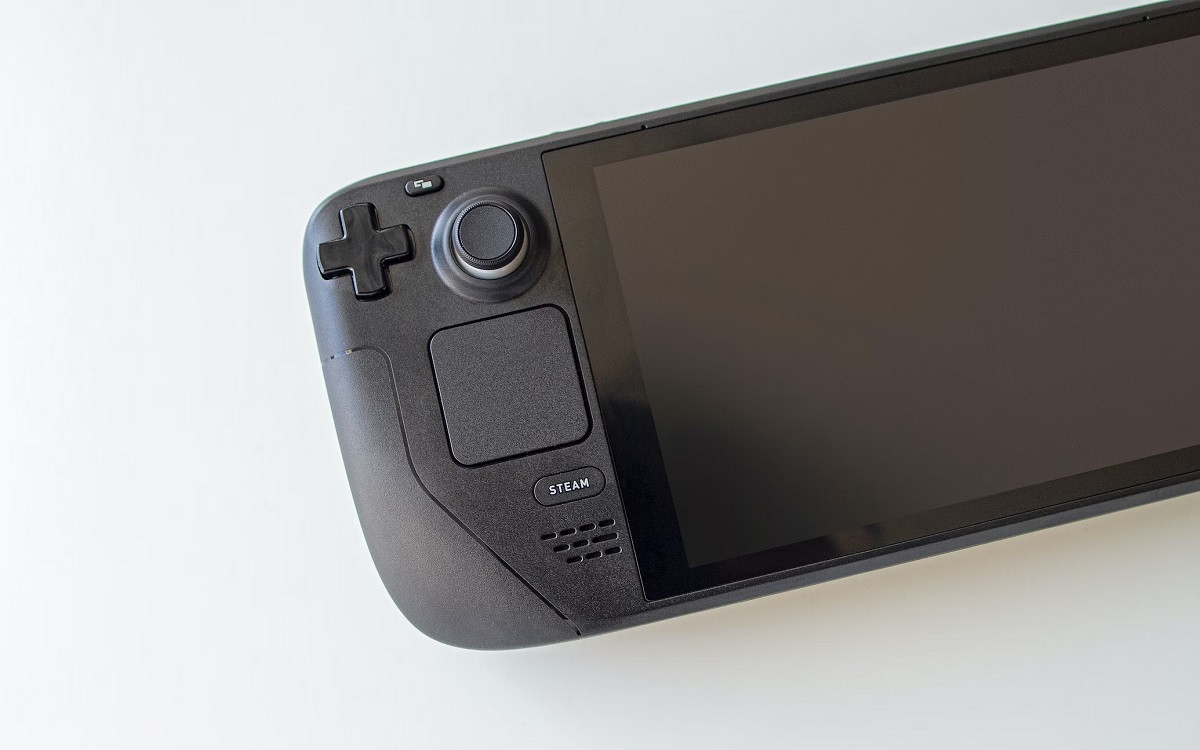
And of course, it’s that compact nature that makes the Ally so much more appealing to me than a desktop PC or a chunky gaming laptop. I sit at my desk all day long; why would I continue to sit there during my free time after work, when I could take my handheld and go lounge on the couch while playing the exact same games? It’s a benefit you don’t notice until you have the option. During a recent storm here in the UK, I stayed warm and cozy in bed with a hot water bottle and the rather excellent Afterparty, and it was great. Although the Ally is a bit heavy, it’s comfortable design and sturdy thumbsticks are a lot easier on my hands than a mouse and keyboard.
So yes: I’m done with gaming laptops, and while I’m not about to toss my powerhouse desktop in the garbage anytime soon, I’m certainly putting a lot less mileage on it now. That’s probably good for my electricity bill too, now that I think about it - the RTX 4080 sure is a power hog.
via Hosting & Support
Comments
Post a Comment