Audio brand JLab has launched a new pair of budget-friendly, wireless athletic earbuds called the Sport ANC 4. Most importantly, these next-gen earbuds introduce features not seen on other JLab models.
Chief among them is Hybrid Active Noise Cancellation, which allows the earbuds to listen to the surrounding environment and automatically adjust the strength of noise cancellation. It can block up to 25 dB of outside sound or, if you prefer, can let the world leak through via the ambient 'Be Aware mode.'
The Sport ANC 4 boast swipe and touch controls that allow you to easily perform multiple actions like raising the volume, pausing songs, or changing settings. Tapping on the earbuds lets users cycle through three audio profiles – JLab Signature, Balanced, and Bass Boost for that extra punch. Of course, everything listed here can be done via the official JLab app on a connected device.
Let's move! Step up your game and elevate your workouts with JBuds Sport ANC 4 pic.twitter.com/M69aplBFNhJune 25, 2024
Additionally, these support Google’s recently launched Find My Device network, which can let you ping the earbuds and see where they are on a map should you lose them. All you have to do to utilize the network is link the devices to your supporting Android smartphone. We have a guide with step-by-step instructions for how to set up Find My Device so be sure to check it out.
Notable features
The rest of the features on the Sport ANC 4 are what you would expect to see on a pair of athletic earbuds. They have a water resistance rating of IP66, which allows them to survive being inundated with sweat during intense workouts. The rubber hook jutting out from the body ensures a secure attachment around your ear.
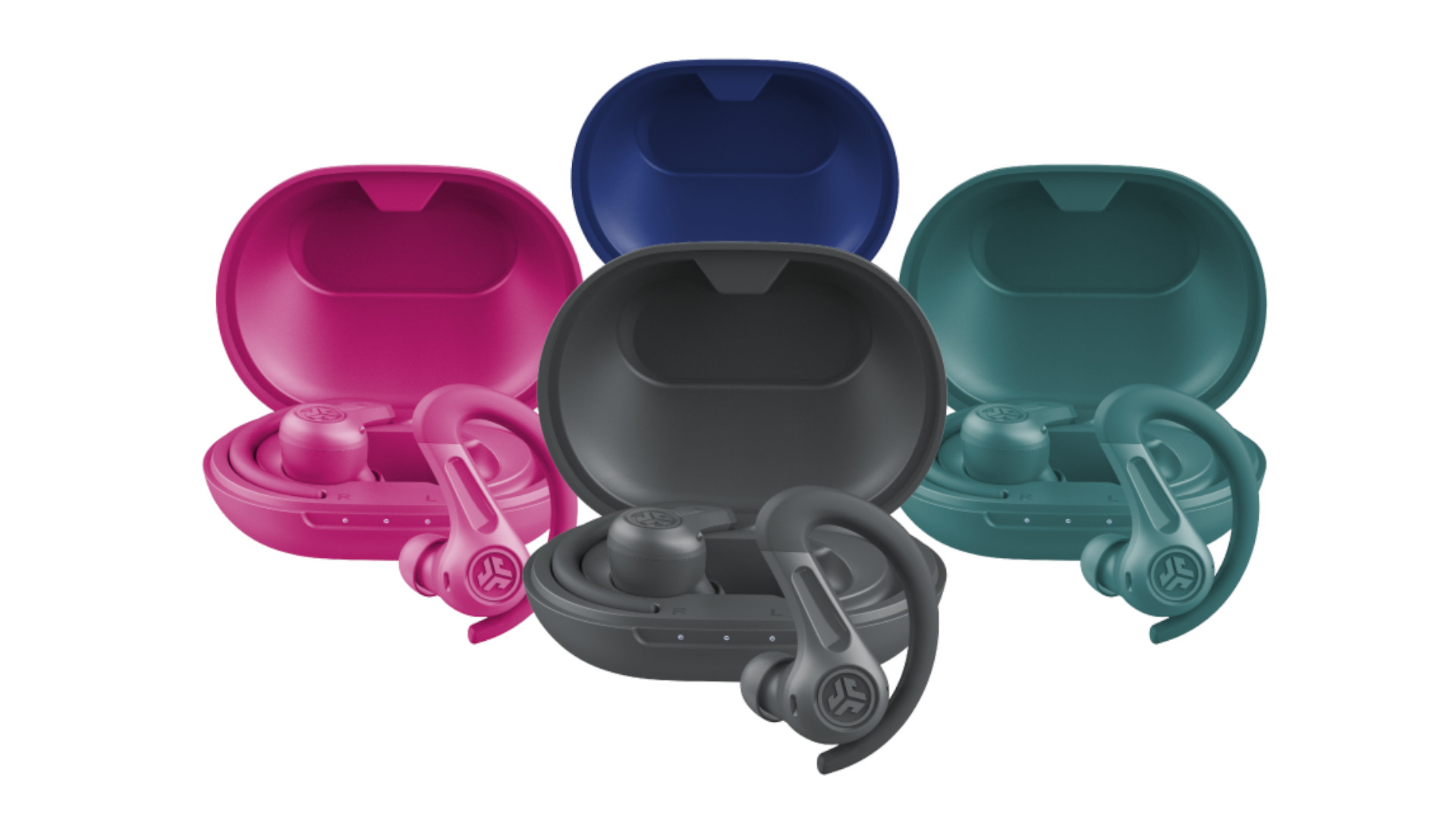
Battery life is promised at over 60 hours with the charging case, but do keep in mind that it is without active noise cancellation. If that listening mode is turned on, the maximum battery life drops down to about 40 hours. You'll also find support for Bluetooth Multipoint for using the earbuds across multiple devices, noise-canceling microphones, and Google Fast Pair.
JLab’s Sport ANC 4 are up pre-order at $69.99 in either graphite, teal, cobalt, and pink. All four are set to ship out at the end of July.
Til then, check out TechRadar’s list of the best wireless earbuds for 2024.
You might also like
via Hosting & Support
Comments
Post a Comment